Looking to add a personal touch to your projects? Designing and printing personalized stickers is a fantastic way to express your creativity, whether for business branding, event planning, or just for fun. This guide will walk you through the essential steps to create stunning stickers.
Understanding the Types of Stickers
Before diving into the design and printing process, it’s essential to understand the different types of stickers available:
Vinyl Stickers
Vinyl stickers are known for their durability and weather resistance. They work brilliantly for outdoor use, making them perfect for promotional materials, bumper stickers, or even long-term signage. They can withstand exposure to the elements, ensuring that your design remains vibrant over time.
Paper Stickers
Paper stickers are cost-effective and versatile, suitable for a variety of applications, such as product labels or temporary event stickers. While they may not endure outdoor conditions like vinyl, they offer a more budget-friendly option for short-term use.
Kiss-Cut and Die-Cut Stickers
Kiss-cut stickers feature a backing sheet that makes it easy to peel them off and apply wherever needed. In contrast, die-cut stickers are cut to the exact shape of your design, providing a professional look. Both types cater to different aesthetic preferences and functional needs.
Steps to Design Your Perfect Stickers
With an understanding of the types of stickers available, let’s move onto the exciting part—designing your stickers.
Step 1: Choose Your Design Software
To unleash your creativity, it’s critical to start with user-friendly design software. Options like Adobe Illustrator, Canva, or even free online platforms can help you create intricate designs easily. If you’re looking for simplicity, template-based programs can save you a lot of time.
Step 2: Define Your Dimensions
Before you get too deep into your creative process, determine the dimensions of your stickers. Consider where you plan to use them and how much space your design will need. A well-defined size will help ensure that the details of your design are clear and appealing.
Step 3: Add Your Elements
Customize your stickers by adding shapes, text, and images. Pay attention to color choices as they will play a significant role in how your stickers resonate with the audience. Remember to keep your design balanced; too many elements can lead to a cluttered appearance.
Printing Your Personalized Stickers
Once you’ve finalized your design, it’s time to print your personalized stickers. Here’s how you can do it effectively.
Choosing the Right Paper
Select the appropriate sticker paper based on your design and printing needs. For vibrant results, glossy sticker paper works beautifully, while matte paper is great for a more sophisticated look. Always ensure that the paper is compatible with your printer type—inkjet or laser.
Printer Settings
Adjusting the printer settings is crucial for achieving professional-quality prints. Make sure to select the right paper type and quality settings, and don’t forget to perform a test print to confirm that everything aligns perfectly before printing a large batch.
Cutting Your Stickers
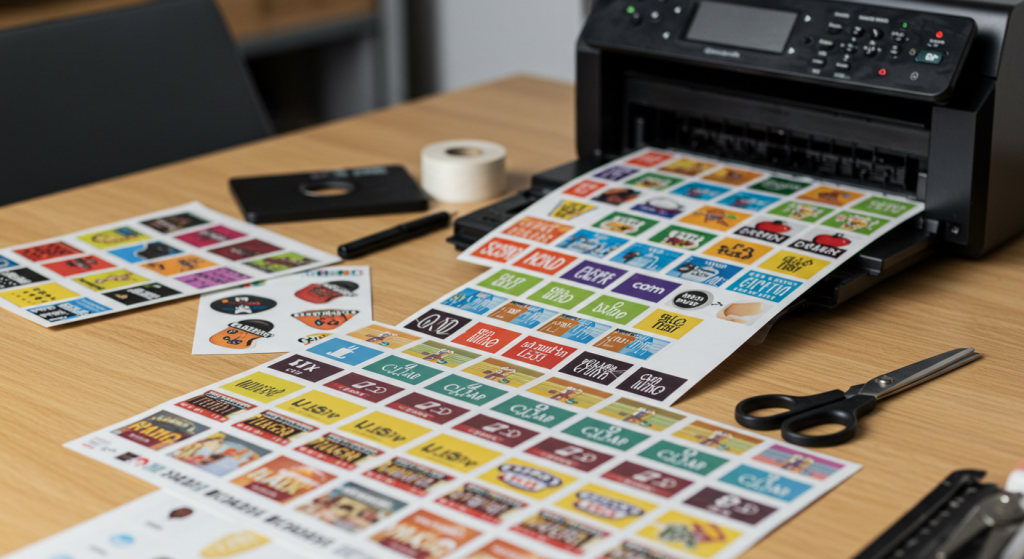
After printing, you can either cut the stickers manually using scissors or a craft knife or use a cutting machine for precise results. For intricate designs, a machine like a Cricut can save you time and ensure clean edges.
Finishing Touches for Your Stickers
The final stages are just as important as the design and printing process. Here are a few finishing touches to consider:
Laminate for Protection
If you plan on using your stickers outdoors or in high-traffic areas, consider applying a laminate layer. This will provide an additional protective coating against scratches and fading, ensuring your stickers maintain their beauty for longer.
Packaging Your Stickers
For those creating stickers for sale or as part of a business, presentation matters. Invest in attractive, practical packaging that enhances the sticker experience. Consider adding a personal note or branding elements to connect with your customers.
Designing and printing personalized stickers does not have to be a daunting task. With the right approach, tools, and professional printing help, you can create stunning stickers that capture attention and effectively communicate your message.
For more creativity in your home decor, check out how to add a Christian touch to your decorations at 123 Home Design.


